

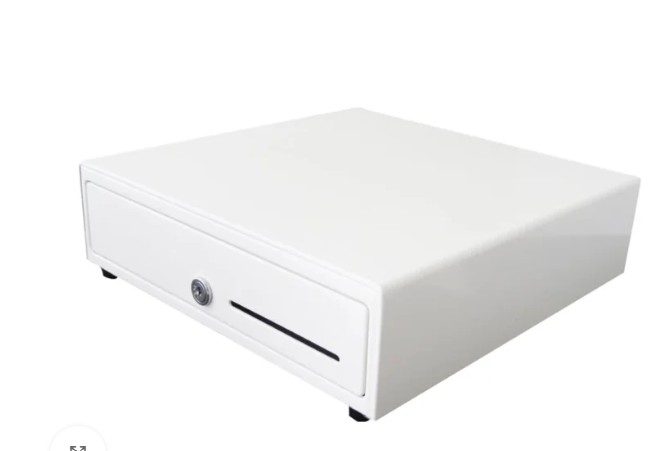
Cash drawers remain an essential component of many point-of-sale (POS) systems, even as digital and contactless payments continue to grow. Retail stores, restaurants, hospitality businesses, and service counters still rely on cash handling for daily transactions. Choosing the right cash drawer is not just about holding money—it directly affects workflow efficiency, security, and system compatibility.
This article explores the main types of cash drawers, their key features, available sizes, and how they integrate with modern POS systems.
What Is a Cash Drawer in a POS System?
A cash drawer is a secure storage unit used to hold cash, coins, and sometimes checks or receipts at the point of sale. It is usually connected to a POS terminal, receipt printer, or payment system and opens automatically during a transaction or manually using a key.
While often overlooked, the design and functionality of a cash drawer can significantly influence transaction speed, cashier comfort, and loss prevention.
Main Types of Cash Drawers
Cash drawers are classified based on how they open, how they connect to the POS system, and where they are installed.
1. Standard Manual Cash Drawers
Manual cash drawers are operated using a key or push-button mechanism. They do not require direct integration with a POS system.
Key characteristics:
- Opens with a key or latch
- Simple internal cash and coin compartments
- No electronic connection required
Common use cases:
- Small businesses
- Backup cash storage
- Environments with minimal automation
These drawers are straightforward but may slow down operations in high-traffic locations.
2. Electronic Cash Drawers
Electronic cash drawers are the most commonly used type in modern POS environments. They open automatically when triggered by the POS software or receipt printer.
Key characteristics:
- Electronically controlled opening
- Connects to POS printer or terminal
- Reduces manual handling
Benefits:
- Faster checkout process
- Reduced cashier errors
- Improved transaction tracking
Electronic drawers are widely used in retail stores, supermarkets, and restaurants.
3. Front-Opening Cash Drawers
Front-opening cash drawers slide out toward the cashier, making them ideal for tight or under-counter installations.
Key characteristics:
- Opens from the front
- Compact design
- Suitable for limited counter space
Typical environments:
- Cafés and small retail counters
- Kiosks and mobile POS stations
- Hospitality service desks
These drawers are popular where space efficiency is a priority.
4. Flip-Top Cash Drawers
Flip-top cash drawers open upward instead of sliding out. They are often placed on top of counters.
Key characteristics:
- Vertical opening lid
- Heavy-duty metal construction
- Easy access for cashiers
Common applications:
- Retail counters
- Convenience stores
- Temporary POS setups
Flip-top models are durable and visible, which can also act as a deterrent against theft.
5. Under-Counter Cash Drawers
Under-counter cash drawers are installed beneath the counter surface, keeping the workspace uncluttered.
Key characteristics:
- Hidden installation
- Enhanced security
- Clean counter appearance
These drawers are ideal for businesses that prioritize aesthetics or want to reduce customer visibility of cash handling.
Key Features of Cash Drawers
When comparing cash drawers, it’s important to understand the features that impact usability and security.
Cash and Coin Compartments
Most drawers include adjustable compartments for bills and removable coin trays. The number of compartments varies depending on currency type and business needs.
Locking Mechanisms
Cash drawers typically offer:
- Key locks
- Electronic locks
- Emergency manual release options
These features help protect cash during both operating and non-operating hours.
Durable Construction
Quality cash drawers are built from steel or reinforced metal to withstand frequent opening, closing, and daily wear.
Media Slots
Many drawers include slots for storing checks, coupons, receipts, or large bills without opening the drawer fully.
Sensor Feedback
Some electronic models include open/close sensors that communicate with the POS system, helping track drawer activity.
Cash Drawer Sizes Explained
Cash drawers come in various sizes to fit different counters and POS setups.
Compact Cash Drawers
- Ideal for small counters or kiosks
- Limited storage capacity
- Lightweight and space-saving
Medium-Size Cash Drawers
- Most commonly used size
- Balanced capacity and footprint
- Suitable for standard retail environments
Large Cash Drawers
- High cash and coin capacity
- Designed for high-volume cash handling
- Often used in supermarkets or busy service counters
Selecting the right size depends on transaction volume, available space, and security requirements.
Compatibility with POS Systems
Compatibility is one of the most critical factors when selecting a cash drawer.
Connection Types
Cash drawers typically connect through:
- RJ11 or RJ12 ports (via receipt printers)
- USB interfaces
- Direct POS terminal connections
The drawer often receives its open signal from the receipt printer, making printer compatibility essential.
POS Software Integration
Most modern POS systems support electronic cash drawers, but configuration may vary. Some systems require specific drivers or settings to enable automatic opening and status tracking.
Regional and Currency Compatibility
Different regions use varying bill sizes and coin denominations. Cash drawers must be compatible with local currency layouts to ensure efficient cash organization.
Choosing the Right Cash Drawer
When selecting a cash drawer for a POS system, consider:
- Type of business and transaction volume
- Counter space and installation method
- Security requirements
- POS hardware and software compatibility
- Local currency configuration
A well-matched cash drawer improves operational efficiency, reduces handling errors, and supports a smoother checkout experience.
Conclusion
Cash drawers continue to play a vital role in POS systems across many industries. Understanding the different types of cash drawers, their features, available sizes, and compatibility requirements helps businesses make informed decisions that support daily operations.
By choosing the right cash drawer setup, organizations can improve workflow, enhance security, and maintain reliable cash management—regardless of how payment technologies evolve.
