

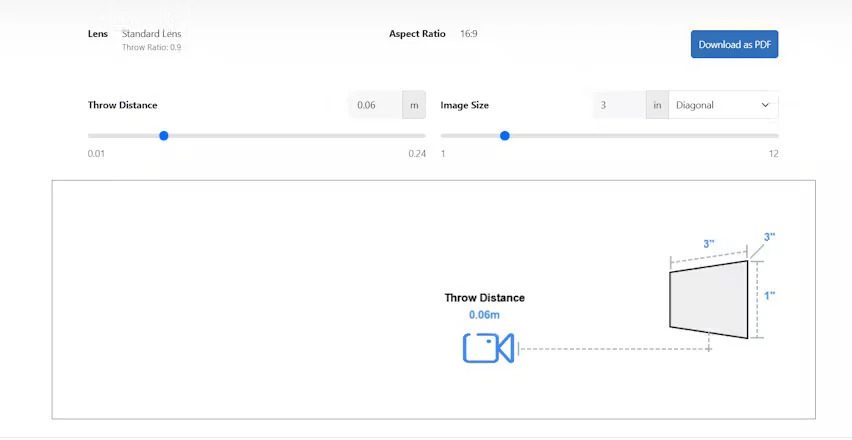
Short throw projectors are widely used in home theaters, classrooms, and offices because they can deliver large images from minimal distances. One key factor that affects image quality, placement, and overall performance is the lens type. The choice of lens directly influences the short throw projector distance, projection throw distance, and ultimately determines how far the projector should be from the screen. In this blog, we will explore the role of different lens types, their impact on image quality, and tips for optimizing your short throw projector setup, including integration with an ultra wide monitor.
Understanding Lens Types
The lens is a critical component of any projector, controlling how light is projected onto a screen. In short throw projectors, lens design is particularly important because it affects how large an image can be projected from a short distance. There are several common lens types used in short throw projectors:
-
Fixed Lens
Fixed lenses have a set focal length and throw ratio. They are simple and reliable, providing consistent image size and focus. However, they offer little flexibility for adjusting the projection throw distance. Users need to place the projector at the correct short throw projector distance to achieve the desired image size. -
Zoom Lens
Zoom lenses allow some adjustment of image size without physically moving the projector. This flexibility helps fine-tune the projection throw distance, which is especially useful in rooms with variable screen sizes or layout constraints. -
Ultra Short Throw Lens
Ultra short throw lenses are designed to project very large images from just inches away from the screen. They are ideal for tight spaces where a standard short throw projector distance is not feasible. These lenses reduce shadows and glare and allow for a cleaner installation, particularly in compact home theaters or office setups.
How Lens Type Affects Short Throw Projector Distance
The lens type directly impacts how far the projector should be from the screen. Fixed lenses require precise placement because their throw ratio is set, meaning miscalculations in short throw projector distance can result in images that are too small, too large, or out of focus.
Zoom lenses provide more flexibility. By adjusting the zoom, you can slightly modify the projection throw distance to fit the screen without moving the projector physically. This is helpful for temporary setups or rooms with furniture constraints.
Ultra short throw lenses allow extreme proximity to the screen. For example, an ultra short throw projector can create a 100 inch image from just a few inches away, making them perfect for small bedrooms or offices. Calculating how far the projector should be from the screen is straightforward with these lenses, but you still need to consider vertical alignment and focus for optimal results.
Calculating Projection Throw Distance
Regardless of the lens type, understanding the throw ratio is key to determining projection throw distance. The formula is:
Throw Distance = Throw Ratio × Screen Width
For instance, if your projector has a 0.5:1 throw ratio and you want a 120 inch wide image, the short throw projector distance should be 60 inches from the screen. Ultra short throw lenses might reduce this distance to just a few inches, but proper measurement ensures correct placement and avoids image distortion.
Lens Quality and Image Clarity
Beyond distance, the lens type affects image clarity, sharpness, and brightness. High-quality lenses produce sharper images and better color reproduction, which is especially important when using an ultra wide monitor as a reference or for hybrid setups. Lower quality lenses may introduce distortions, chromatic aberrations, or blurriness at the edges of the image.
Practical Tips for Optimizing Lens Performance
-
Choose the Right Lens for the Room
Evaluate your room size, available mounting options, and desired image size. Fixed lenses are reliable for standard setups, zoom lenses offer flexibility, and ultra short throw lenses are ideal for compact spaces. -
Calculate Short Throw Projector Distance Accurately
Measure the screen width and apply the throw ratio formula to determine the correct projection throw distance. Knowing how far the projector should be from the screen helps avoid keystone distortion and focus issues. -
Check Lens Alignment
Even with the correct distance, misaligned lenses can cause trapezoidal distortion. Align the lens with the screen center both horizontally and vertically for the best results. -
Use a Dedicated Projection Screen
Walls may cause color shifts or uneven brightness. A projection screen ensures consistent reflection and maximizes lens performance. -
Integrate an Ultra Wide Monitor for Reference
When combining a short throw projector with an ultra wide monitor, use the monitor to verify color accuracy and image proportions. This helps ensure that the projection throw distance produces the intended image size and quality. -
Maintain the Lens
Dust and smudges can degrade image quality. Clean the lens regularly with appropriate materials and avoid touching the glass directly. Proper maintenance ensures the lens consistently produces sharp images.
Common Mistakes to Avoid
-
Ignoring Throw Ratio Differences
Not all short throw lenses have the same ratio. Failing to account for the throw ratio can lead to images that are improperly sized or out of focus. -
Over-Reliance on Digital Keystone
While digital correction can fix minor misalignments, it may reduce image clarity. Physical lens alignment is preferable. -
Mismatched Room Layout
Placing a projector with a fixed lens in a small room without calculating short throw projector distance can result in distorted images or limited screen coverage. -
Neglecting Ambient Light
Even the best lens cannot compensate for excessive ambient light. Control lighting to maintain brightness and contrast.
Final Thoughts
The lens type plays a critical role in determining short throw projector distance, projection throw distance, and overall image quality. Fixed, zoom, and ultra short throw lenses each have unique advantages depending on room size, layout, and intended use.
By carefully selecting the right lens, calculating how far the projector should be from the screen, and considering additional tools like an ultra wide monitor, you can achieve sharp, vibrant, and properly sized images. Paying attention to lens quality, alignment, and maintenance ensures that your short throw projector delivers the best possible performance, transforming any space into an immersive viewing environment.
Read more: https://www.florevit.com/read-blog/55391
