

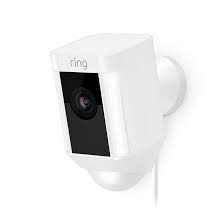
Installing security cameras on high ceilings presents unique challenges and opportunities. High-ceiling installations are particularly common in warehouses, commercial spaces, and large residential properties, where expansive coverage is essential. Dahua cameras, known for their advanced technology and reliability, are ideal for such setups. However, proper installation is crucial to maximize their effectiveness. In this guide, we will explore how to install Dahua cameras on high ceilings, ensuring optimal performance and coverage with the help of a trusted Security company.
Preparing for Installation
Before starting the installation process, it’s essential to prepare adequately. This preparation includes selecting the right camera model, planning the camera placement, and gathering the necessary tools.
Choosing the Right Dahua Camera
The first step is to choose a Dahua camera model that is suitable for high ceilings. Look for cameras with wide-angle lenses, high resolution, and advanced zoom capabilities. PTZ (Pan-Tilt-Zoom) cameras are an excellent choice for high ceilings, as they allow for remote adjustments and broader coverage.
Dahua cameras with infrared or night vision capabilities are also essential for maintaining visibility in low-light conditions. The specific camera model will depend on your needs, but ensure it is compatible with the mounting accessories required for ceiling installation.
Planning the Placement
Planning the placement of your Dahua camera is critical for achieving optimal coverage. For high ceilings, the camera should be positioned to capture the maximum area without leaving blind spots. This involves determining the focal points of surveillance, such as entrances, exits, or high-traffic areas.
Take into account the height of the ceiling. If the camera is installed too high, it may lose its ability to capture fine details. Conversely, placing it too low might expose it to tampering. Test the angles and coverage area before finalizing the position.
Gathering Tools and Equipment
To install a Dahua camera on a high ceiling, you will need specific tools and equipment. These include:
- A sturdy ladder or scaffolding to safely reach the installation height.
- A drill and appropriate drill bits for creating mounting holes.
- Mounting brackets compatible with your Dahua camera model.
- Screws, anchors, and other hardware for securing the camera.
- Ethernet cables or power supplies, depending on whether the camera is wired or wireless.
- A level to ensure the camera is mounted straight.
Having all these tools ready will streamline the installation process and prevent delays.
Installing the Mounting Bracket
The mounting bracket is a crucial component for securing your Dahua camera to the high ceiling. Proper installation of the bracket ensures the camera remains stable and functional over time.
Marking the Installation Points
Using a pencil or marker, outline the points where the mounting bracket will be attached to the ceiling. Ensure these points are aligned with the camera’s field of view. Use a level to confirm that the markings are even.
Drilling and Securing the Bracket
Drill holes at the marked points, ensuring they are deep enough to accommodate the screws or anchors. Attach the mounting bracket to the ceiling using screws and anchors, tightening them securely to prevent movement or instability. Check that the bracket is firmly in place before proceeding.
Attaching the Camera to the Bracket
Once the bracket is installed, the next step is to attach the Dahua camera.
Aligning the Camera
Carefully align the camera with the mounting bracket, ensuring that the lens is facing the intended surveillance area. Most Dahua cameras are designed to easily attach to their brackets with screws or clips. Follow the manufacturer’s instructions to secure the camera.
Adjusting the Angle
After attaching the camera, adjust its angle to cover the desired area. If you are using a PTZ camera, this adjustment can be done remotely after installation. For fixed CCTV cameras, ensure that the angle is locked in place to prevent it from shifting.
Connecting the Camera
Connecting your Dahua camera to the power source and network is essential for functionality. Depending on the camera type, this process may vary.
Wired Connections
For wired cameras, connect the Ethernet cable to the camera and run it to the nearest power supply or network device. Use cable management clips or conduits to secure the cables along the ceiling or walls, ensuring a neat and organized setup.
Wireless Connections
If you are using a wireless Dahua camera, connect it to the power source and follow the instructions to connect it to your Wi-Fi network. Ensure that the Wi-Fi signal is strong enough to maintain a stable connection at the camera’s location.
Testing the Camera
After installation, it is important to test the camera to ensure it is working correctly.
Verifying the Field of View
Check the camera’s live feed to verify that it is covering the intended area. Adjust the angle or zoom settings as needed to eliminate blind spots.
Ensuring Stable Connectivity
Test the network connection to ensure the camera streams video without interruptions. For wired connections, check that the Ethernet cable is securely plugged in. For wireless cameras, verify that the Wi-Fi signal is strong and stable.
Reviewing the Video Quality
Finally, review the video quality to ensure it meets your expectations. If the image is blurry or distorted, adjust the camera’s focus or resolution settings.
Maintaining Your Dahua Camera
Regular maintenance is essential to keep your Dahua camera functioning optimally. Clean the camera lens periodically to remove dust or debris that could affect image quality. Check the mounting bracket and cables for signs of wear or damage, and address any issues promptly.
Conclusion
Installing Dahua cameras on high ceilings requires careful planning, the right tools, and attention to detail. By following these steps, you can ensure that your camera is securely installed and provides optimal coverage for your security needs. Whether you are securing a warehouse, office, or home, Dahua cameras offer reliable performance and advanced features that make them an excellent choice for high-ceiling installations.
