

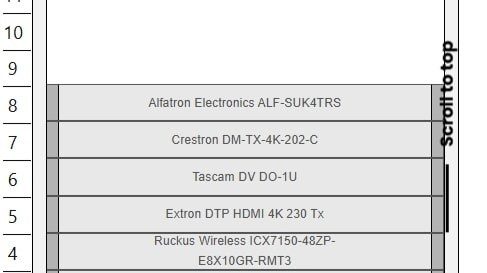
Designing a well-organized and efficient IT or AV rack setup is not just about physical placement of devices. One of the most important yet often overlooked aspects is power distribution. Knowing how much power each device draws, how PDUs (Power Distribution Units) are utilized, and how to avoid overloading circuits are critical to maintaining uptime and preventing system failures. Today, rack diagram software makes it easier than ever to visualize and even predict power distribution and PDU usage in complex rack environments.
In this blog, we will explore how modern rack design software helps professionals plan, visualize, and manage power requirements, ensuring both efficiency and safety.
The Importance of Power Visualization in Rack Design
Every rack—whether in a data center, broadcast facility, or AV control room—contains multiple devices that consume power. Servers, amplifiers, switches, and processors all draw electricity at different rates. Without proper visualization of power loads, you risk overloading PDUs, increasing heat output, and potentially causing downtime.
Traditionally, power planning was done manually, using spreadsheets or static drawings. Designers had to calculate total wattage, current draw, and circuit capacities by hand. But this process was time-consuming and prone to error. Today, rack diagram software has changed that by integrating power visualization tools that automate calculations and provide clear insight into energy usage.
This not only makes rack design more accurate but also ensures energy efficiency and long-term reliability.
How Rack Diagram Software Handles Power Distribution
Modern rack design software goes beyond simple visual layouts. It includes built-in tools for power management that allow designers to assign electrical characteristics to every device in a rack.
Here is how these tools typically function:
1. Assigning Power Ratings to Components
Every device in a rack has a power specification—typically in watts or amperes. Within rack diagram software, you can assign these ratings to each component. The software then automatically calculates the total power draw for the rack.
This feature helps ensure that your design does not exceed the rated capacity of your PDUs or circuits.
2. Visualizing PDU Connections
PDUs act as the main power source within a rack, distributing electricity to individual components. Using rack design software, designers can visualize exactly how each device connects to a specific outlet or port on the PDU.
This visualization helps balance loads across multiple PDUs, ensuring redundancy and preventing one unit from becoming overloaded.
3. Automatic Load Balancing
Some advanced rack diagram software solutions automatically perform load balancing. This means they can suggest optimal PDU connections based on available capacity and power draw.
The software can highlight overloaded circuits in red and underutilized ones in green, making it easy to identify and fix imbalances before installation.
4. Real-Time Power Estimation
As you add, remove, or modify equipment in your design, the software recalculates the total power requirements in real-time. This feature gives you an accurate picture of how each design change affects power consumption.
It is especially useful during the planning phase, allowing designers to test different configurations and instantly see their impact on total load and PDU usage.
Predicting PDU Usage with Rack Design Software
Predictive modeling is one of the most powerful capabilities of modern rack design software. By simulating real-world conditions, designers can forecast how their rack systems will perform once deployed.
Here is how predictive power analysis works:
1. Simulating Power Demand
You can simulate expected usage scenarios, such as peak load times or redundancy requirements. The software predicts whether your PDUs can handle increased loads during these high-demand periods.
2. Identifying Power Bottlenecks
Predictive tools highlight potential weak points in your power chain. For example, if too many high-power devices are connected to a single PDU, the software will alert you. This allows for quick redesign before costly issues occur in the real world.
3. Planning for Future Expansion
When planning a rack, it is essential to leave room for growth. With predictive features, you can see how adding future devices will affect total power consumption. The software allows you to reserve PDU capacity for upcoming expansions, ensuring scalability without risk.
4. Analyzing Redundancy
For mission-critical environments, redundancy is key. Rack design software can simulate A-B power paths, showing how loads will be distributed if one PDU fails. This ensures that backup systems can handle the transfer without overload.
Benefits of Power Visualization and Prediction
Using rack diagram software for power visualization and prediction provides multiple advantages:
1. Improved Accuracy
Manual calculations are often prone to error, especially in complex environments. Software-based power modeling ensures accurate and consistent data.
2. Enhanced Safety
By identifying overload risks early, you reduce the chances of circuit trips, overheating, or electrical hazards.
3. Optimized Efficiency
Balanced PDU loads and power-aware layouts minimize energy waste and cooling requirements, resulting in cost savings.
4. Streamlined Maintenance
With digital documentation, maintenance teams can quickly understand power distribution across racks. This makes troubleshooting faster and safer.
5. Better Decision-Making
Predictive analytics help teams make informed decisions about equipment upgrades, rack expansions, or power source adjustments.
Integration with Real-World Systems
Many rack design software platforms integrate with real-time monitoring tools. This means the same digital diagrams used for design can later be connected to live power monitoring systems.
For example, if your data center uses intelligent PDUs, their real-time load data can be displayed within the same rack visualization platform. This creates a seamless bridge between planning, implementation, and ongoing management.
Integration ensures that power usage is not just predicted but also continuously verified against actual performance.
Future of Power Visualization in Rack Design
As IT and AV systems grow in complexity, power management will become even more critical. Future rack diagram software solutions are expected to include AI-based features that can predict failures, recommend load balancing, and optimize PDU utilization automatically.
These tools will likely connect with building management systems and smart energy grids, allowing designers and operators to monitor power flow across entire facilities—not just individual racks.
The combination of intelligent visualization, predictive analytics, and automation will redefine how we plan and manage power in modern infrastructures.
Conclusion
Yes, you can visualize and predict power distribution and PDU usage effectively using modern rack diagram software. With built-in calculation tools, load balancing features, and predictive analytics, today’s rack design software makes it simple to plan efficient, safe, and scalable rack environments.
By adopting digital tools like those offered by XTEN-AV, professionals can move beyond static diagrams and into a smarter, more connected future. Power visualization ensures not only design accuracy but also system reliability and energy efficiency—key factors for success in IT and AV installations.
In the end, understanding and managing power is no longer an afterthought. With the right software, it becomes an integral part of the design process, ensuring every rack performs optimally from day one.
